How to Set a GEO Timer for a Walk or Ride
GEO Timer is a safety timer for a walk or ride to a specific destination. Set the place you expect to reach, choose an arrival window, and select the contacts for the session.
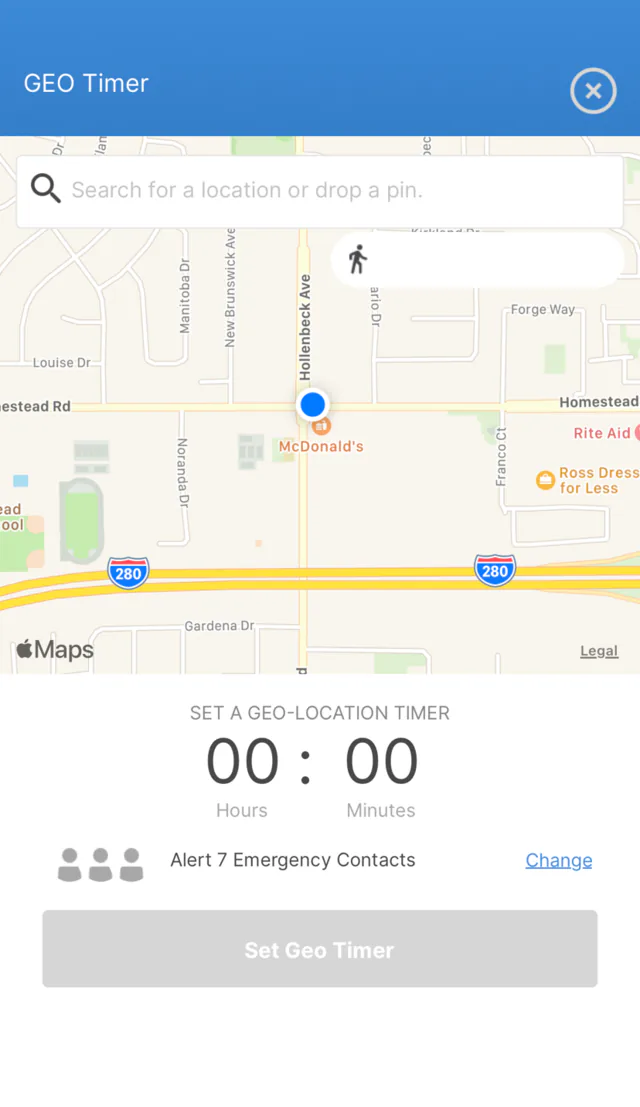
Choose a destination
Open GEO Timer in the app and choose the place you plan to reach, such as a residence hall or transit stop. Set the number of hours or minutes you expect to need.
Review contacts and start the timer
Choose which emergency contacts to include and review your location permissions before starting. Return to the active session to see the timer or end it if your plans change.
Check the session when you arrive
The app uses location to detect whether you reached the destination area. Open the session to check its arrival status. Location permissions and connectivity can affect updates.
Common questions
Does GEO Timer require a destination?
Get the Student Ally app
Download the app and follow the access instructions from your school.